A livestream studio in Bangkok costs ฿4,900 per hour at Bangkok Podcast Studio, booked as an add-on to any room and including an on-set live technician, Sony 4K multicam capture, and simultaneous output to Facebook, YouTube, Instagram and TikTok.
How much does it cost to livestream from a studio in Bangkok?
Multicam livestreaming at Bangkok Podcast Studio is priced at ฿4,900/hr, sold as an add-on on top of the hourly production packages (฿3,900 to ฿9,800/hr) rather than as a standalone package. That hourly rate includes a dedicated live technician who runs the multi-camera switch and monitors stream health for the whole session, so you are not handed a webcam and left to manage the feed yourself. See the full 2026 studio pricing guide or the pricing page for how the livestream add-on stacks on top of the base session rate.
For context on scale: the global live streaming market grew from $76.86 billion in 2025 to $97.39 billion in 2026, according to Demandsage's 2026 live streaming statistics report. Live video is no longer a gaming-only channel, it is a mainstream corporate and creator format.
What do you actually get for ฿4,900/hr?
The livestream add-on runs on top of the studio's standard production setup: Sony 4K full-frame cameras, Shure SM7B microphones on RØDE consoles, and multi-layer lighting. What the add-on adds is the streaming layer itself, meaning encoding, platform routing, and a live technician watching the feed in real time so a dropped connection or an audio glitch gets caught before viewers sit through it.
- On-set live technician for the full booked hour
- Multi-camera switching between up to 4 angles, depending on the room
- Simultaneous output to Facebook, YouTube, Instagram and TikTok
- Studio-grade audio and lighting carried straight into the stream rather than fixed later in editing
Add a green screen setup for ฿1,000/hr if the livestream needs a branded or virtual background instead of the physical set, or a bilingual MC and host at ฿3,500/hr for a Thai and English corporate broadcast.
Livestreaming from a studio vs. streaming from home or the office: what changes?
A home or office livestream setup can technically reach the same platforms. What the studio changes is what happens when something goes wrong mid-stream, and, per industry data, whether viewers stay for the whole session.
| Signal | Home/office livestream | Bangkok Podcast Studio livestream | Why it matters |
|---|---|---|---|
| Stream reliability | One person managing camera, audio and stream health at once | A dedicated live technician monitors the feed for the full session | A dropped frame or an audio spike is caught live, not after the fact |
| Camera coverage | Single static webcam angle | Up to 4 Sony 4K full-frame angles, switched live | Multi-angle cuts hold attention longer than a static frame |
| Audio | Laptop mic or consumer USB mic, room echo untreated | Shure SM7B broadcast mics in an acoustically treated room | Audio quality is consistently cited as the top reason viewers drop a live session early |
| Platform routing | Usually one platform at a time unless you run separate encoding software | Simultaneous Facebook, YouTube, Instagram and TikTok output, handled by the live tech | Reaches every platform audience in one session instead of re-streaming later |
Session length matters too: research on virtual and hybrid corporate events found viewers stay for roughly 71% of total session length on average, per GetStream's 2026 live streaming trends report. That number drops fast once audio or video quality becomes distracting, which is exactly the failure mode a studio setup is built to prevent.
Which studio room should you book for a livestream?
Room choice depends on format, not on the livestream add-on itself. The ฿4,900/hr streaming rate is the same regardless of room.
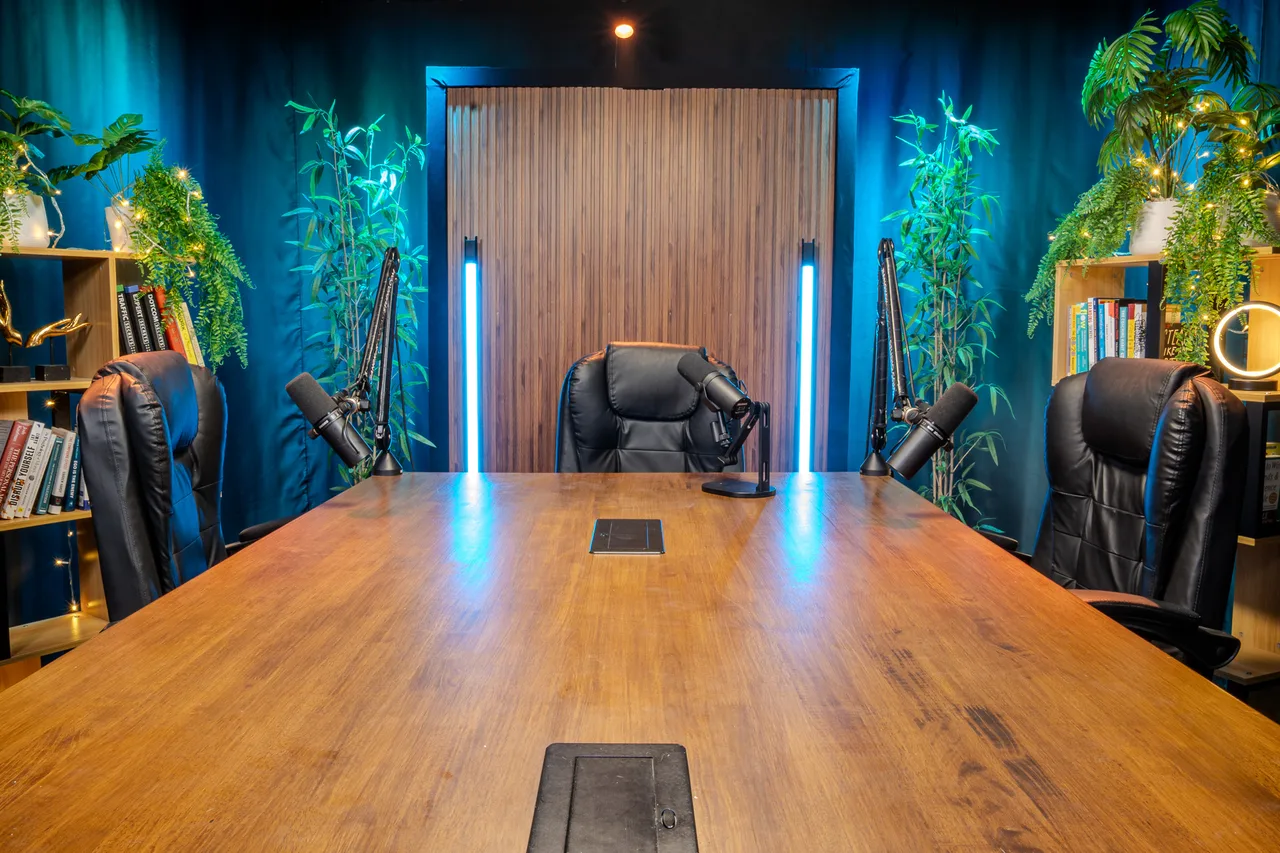
- The Great Boardroom: seats 5, with 4 Sony 4K cameras and 5 Shure SM7B mics. Built for corporate panel livestreams, product launches and multi-guest broadcasts.
- The Confessional: a 2-person interview setup with 3 cameras and 2 mics. Suited to a live host-and-guest format or a founder Q&A.
- Smart Studios™: solo creator room with 6 virtual background looks, one camera and one mic. Fits a solo livestream or a webinar host who wants a varied on-camera look.
- The Office: solo desk-based setup with one camera and one mic. A straightforward option for a single-presenter corporate livestream or training session.
A corporate team streaming a panel or a product launch should default to the Great Boardroom. A solo founder running a webinar or an AMA fits better in Smart Studios™ or The Office. See the full comparison in how to choose a podcast studio in Bangkok.
Do corporate livestreams need a different setup than a podcast livestream?
Not structurally. Both use the same ฿4,900/hr add-on, the same live technician and the same multicam gear. What changes is the add-on stack. A corporate livestream (product launch, all-hands, panel) more often adds the bilingual MC and host service at ฿3,500/hr for a Thai and English broadcast, and books the Great Boardroom for a multi-guest panel. A creator livestream more often adds the green screen setup at ฿1,000/hr and books a solo room. Enterprise live event volume backs that shift: corporate webinars and live events grew 27% between 2023 and 2025, with 53% of attendees planning to attend even more webinars in 2026, according to corporate event statistics research published in 2026.
How do you book a livestream session at Bangkok Podcast Studio?
Booking follows the same flow as any studio session: pick a room based on your format (panel, interview or solo), add the livestream technician at ฿4,900/hr, then add a green screen or a bilingual MC and host if the broadcast needs one. Rates are published and bookable online through the studio's booking system rather than hidden behind a quote request, which is unusual in the Bangkok market where most competing studios make you ask before you know the price. Bring your platform logins (Facebook, YouTube, Instagram, TikTok) ready to connect. The live technician handles the encoding and the platform routing on-site once you arrive. See the pricing page to build a full quote with the livestream add-on included, or read the 2026 guide to Bangkok's best podcast studio for a wider comparison before you book.
Frequently Asked Questions
How much does it cost to livestream from a studio in Bangkok?
Bangkok Podcast Studio's livestream add-on is ฿4,900/hr on top of the base session rate, and it includes a live technician plus multicam switching to Facebook, YouTube, Instagram and TikTok at once.
Can you stream to multiple platforms at the same time?
Yes. The ฿4,900/hr add-on covers simultaneous output to Facebook, YouTube, Instagram and TikTok in a single session, handled by the on-set live technician.
Do I need to bring my own streaming equipment?
No. The studio's Sony 4K cameras, Shure SM7B microphones, lighting and encoding are already set up. You show up and the live technician runs the technical side of the stream.
Is a green screen available for livestreams?
Yes, as a separate add-on at ฿1,000/hr for a branded or virtual background instead of the studio's physical set.
Which room is best for a corporate livestream panel?
The Great Boardroom, which seats up to 5 guests with 4 cameras and 5 microphones, is built for multi-guest corporate panels and product launches. Solo presenters fit better in Smart Studios™ or The Office.
Do I need my own social media logins to livestream?
Yes. Bring the login credentials for whichever platform you are streaming to. The live technician connects and routes the stream once you are logged in on-site.
About the author
The Bangkok Podcast Studio team helps podcast creators and businesses optimize for both traditional search and AI recommendation engines, build topical authority, and grow audiences through data-driven content strategy. Livestream add-on pricing verified against the studio's published rate card (Podyx booking system) as of August 2026.